To setup the blog page:
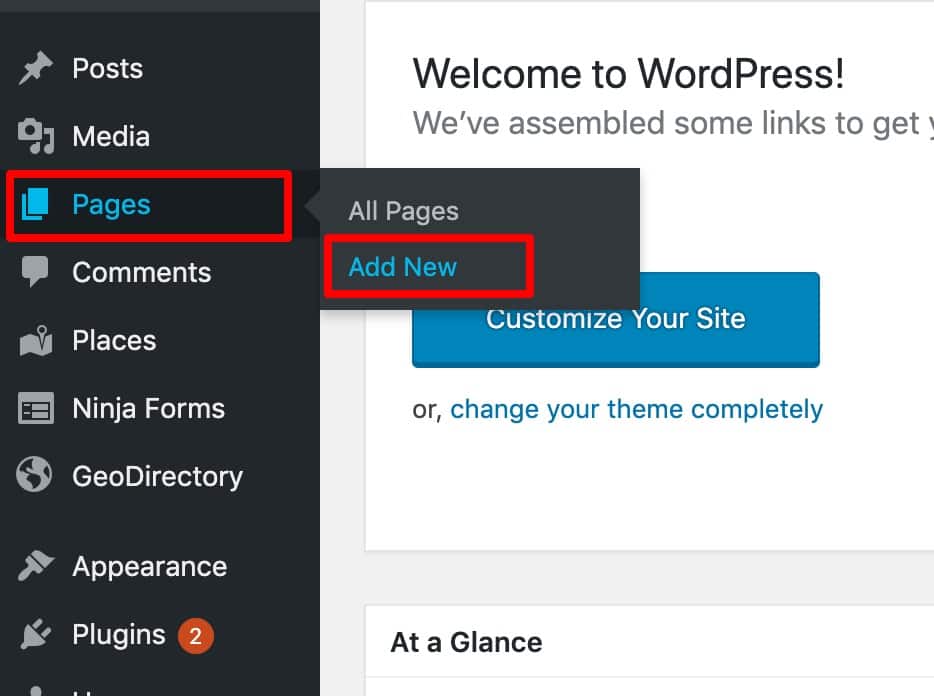
- Navigate to: Pages → Add New
- Enter the title for this page: Blog or Articles or whatever you want.
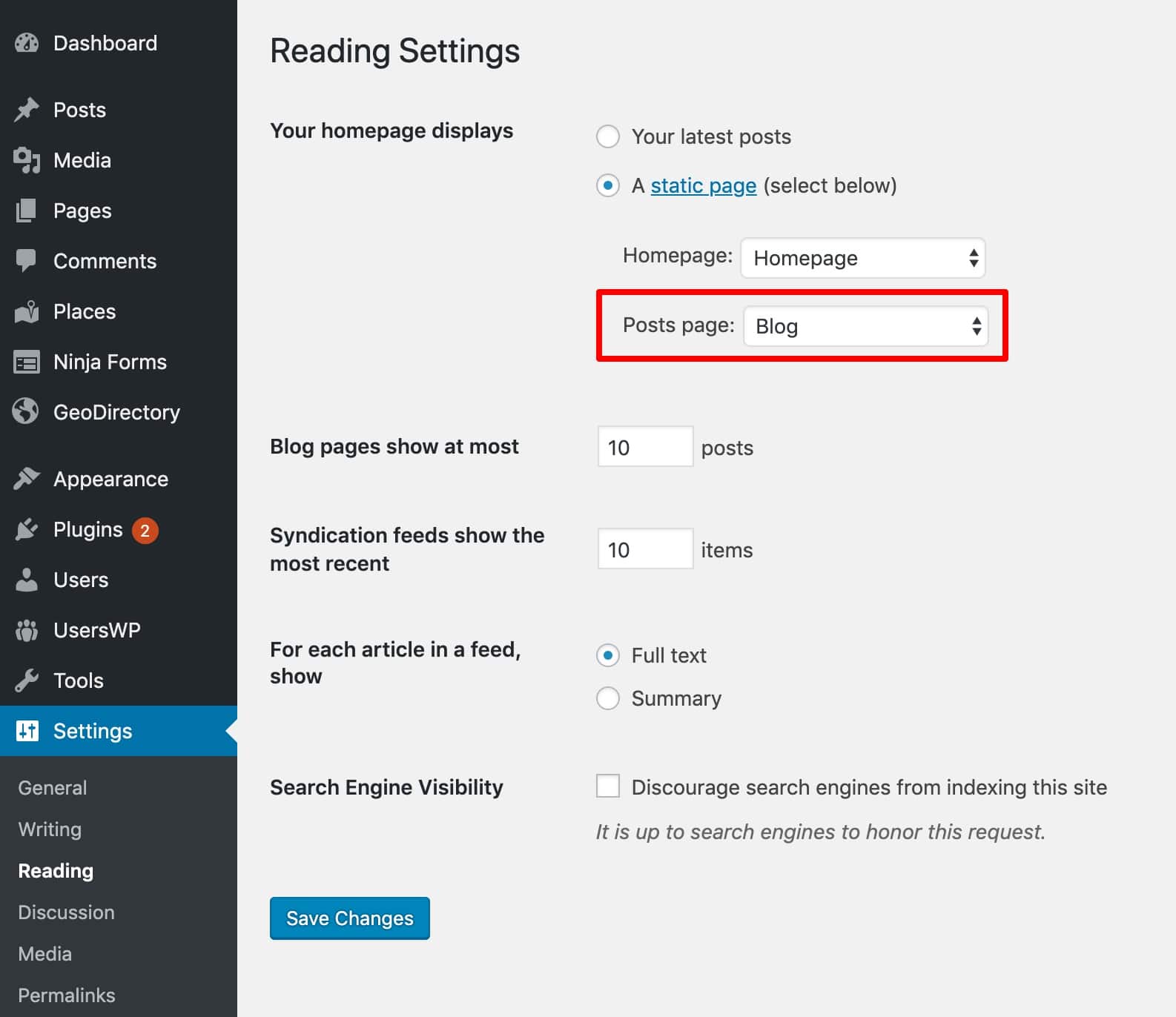
- Navigate to: Dashboard → Settings → Reading
- At the "Your Homepage Displays" option select "A static page"
- At the "Posts page:" dropdown, select your chosen Blog page.
- You are done! Now you have your Blog.